
174 lines
5.7 KiB
Markdown
174 lines
5.7 KiB
Markdown
Re-implementation of the "iLnk"/"iLnkP2P"/"PPPP" protocol used on some cheap (\<$5) IP cameras (sometimes branded as 'X5' or 'A9').
|
|
|
|
* Bought [this X5](https://www.aliexpress.com/item/1005006287788979.html) and [this A9](https://www.aliexpress.com/item/1005006117593880.html).
|
|
* App is [YsxLite](https://play.google.com/store/apps/details?id=com.ysxlite.cam&hl=en&gl=US)
|
|
|
|
|
|
Per pictures of the [X5](https://github.com/DavidVentura/cam-reverse/blob/master/pics/pcb.jpg?raw=true), [A9](https://github.com/DavidVentura/cam-reverse/blob/master/pics/pcb_a9.jpg?raw=true) the main chip is TXW817 ([chinese](https://www.taixin-semi.com/Product/ProductDetail?productId=306), [eng, google translate](https://www-taixin--semi-com.translate.goog/Product/ProductDetail?productId=306&_x_tr_sl=auto&_x_tr_tl=en&_x_tr_hl=en&_x_tr_pto=wapp))
|
|
|
|
|
|
## Running
|
|
To execute the HTTP server, run `make run`; you can access the JPEG stream at http://localhost:1234/ and a file `audio.pcm` will be created.
|
|
|
|
The roundtrip delay when using MJPEG is [~350ms](pics/delay.jpg?raw=true).
|
|
|
|
There's a basic UI which can display multiple cameras:
|
|
|
|
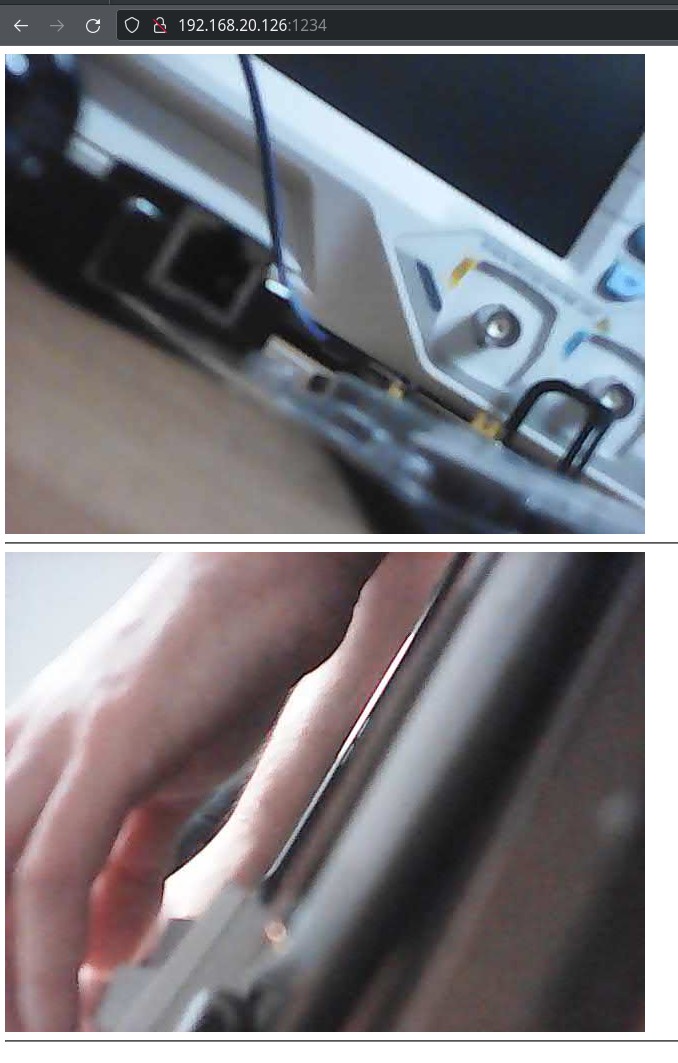
|
|
|
|
## Pairing a new camera
|
|
|
|
Connect to the device's access point and run `SSID=<your ssid> PSK=<your password> make pair`.
|
|
|
|
## Protocol
|
|
|
|
The protocol is weirdly complex, though very little communication is necessary to use the device
|
|
|
|
The base structure of a packet is:
|
|
|
|

|
|
|
|
The payload is command-dependent; most commands have only a literal payload, but the `Drw` (`0xf1d0`) command has a framing scheme:
|
|
|
|
By using the second byte in the payload as a discriminant, we can split the payload into two types of subcommands:
|
|
|
|
**Control packets**:
|
|
|
|

|
|
|
|
The payload on control packets is "encrypted" when the length is > 5.
|
|
|
|
**Data packets**:
|
|
|
|

|
|
|
|
Data packets further discriminate based on the first 4 bytes into: Audio Data (0x55aa15a8), Video data.
|
|
|
|
### Session
|
|
|
|
To establish a session, a few _control packets_ are sent.
|
|
```mermaid
|
|
---
|
|
title: Establish session
|
|
---
|
|
|
|
sequenceDiagram
|
|
autonumber
|
|
App->>+Cam: [C] LanSearch
|
|
Cam->>-App: [C] PunchPkt (SerialNo)
|
|
App->>+Cam: [C] P2PRdy
|
|
Cam->>-App: [C] P2PRdy
|
|
App->>+Cam: [C] ConnectUser
|
|
Cam->>-App: [C] ConnectUserAck (Ticket)
|
|
|
|
loop Every 400-500ms
|
|
Cam-->>+App: [C] P2PAlive
|
|
App-->>-Cam: [C] P2PAliveAck
|
|
end
|
|
```
|
|
|
|
To start a stream, a single _control packet_ is sent.
|
|
|
|
The received stream is broken up into 1028 byte payloads, along with a sequence number.
|
|
|
|
Stitching the payloads together yields JPEG frames for video, and 8KHz A-law PCM for audio.
|
|
|
|
```mermaid
|
|
---
|
|
title: Stream audio/video
|
|
---
|
|
|
|
sequenceDiagram
|
|
App->>Cam: [C] StreamStart (with Ticket)
|
|
|
|
loop
|
|
Cam-->>+App: [D] Audio/Video Payload
|
|
App-->>-Cam: [C] DrwAck
|
|
end
|
|
```
|
|
|
|
### Serial
|
|
|
|
The A9 cameras have a TX/RX test points - connecting with UART at 921600 8N1 gives _read only_ access to some debug logs.
|
|
|
|
### Discrepancies between cameras
|
|
|
|
1. Wifi Strength
|
|
- A9 reports '100%' strength
|
|
- X5 reports different strength values
|
|
|
|
I bricked two cameras by patching out part of the WiFi setup - unclear yet which commands.
|
|
|
|
After bricking itself, it reports very broken configuration via serial:
|
|
|
|
```
|
|
network interface: ƀ (Default)
|
|
MTU: 51050
|
|
MAC: 06 18 40 06 3e 51 b4 e2 c6 80 06 3f 77 30 01 00 00 00 00 00 00 00 00 00 00 00 00 00 00 00 74 00 00 00 01 00 00 00 9c ea 01 20 00 00 00 00 00 00 00 00 00 28 60 00 00 00 00 00 00 00 00 00 06 4e 00 20 2a 00 2a 00 80 00 00 00 00 00 ff ff ff ff ff ff 3e 51 b4 e2 c6 80 08 06 00 01 08 00 06 04 00 01 3e 51 b4 e2 c6 80 01 01 01 01 00 00 00 00 00 00 01 01 01 01 00 28 74 00 00 00 00 00 00 00 00 00 58 4e 00 20 48 00 48 00 80 00 00 00 00 00 ff ff ff ff ff ff 3e 51 b4 e2 c6 80 08 06 45 00 00 48 00 51 00 00 ff 11 c8 be 01 01 01 01 23 9c cc f7 7d 6c
|
|
FLAGS: DOWN LINK_DOWN IGMP
|
|
ip address: 1.1.1.1
|
|
gw address: 1.1.1.1
|
|
net mask : 1.1.1.1
|
|
|
|
network i
|
|
nterface: ^@^@
|
|
MTU: 0
|
|
MAC:
|
|
FLAGS: DOWN LINK_DOWN
|
|
ip address: 127.0.0.1
|
|
gw address: 127.0.0.1
|
|
net mask : 255.0.0.0
|
|
```
|
|
|
|
## Spyware
|
|
|
|
When connecting the camera to a network, it tries to send a HELLO (?) to 3 IP addresses:
|
|
```
|
|
139.155.68.77 - Shenzhen Tencent Computer Systems Company Limited
|
|
119.45.114.92 - Shenzhen Tencent Computer Systems Company Limited
|
|
162.62.63.154 - Tencent Building, Kejizhongyi Avenue
|
|
```
|
|
|
|
With the payload
|
|
```
|
|
0000 f1 10 00 28 42 41 54 43 00 00 00 00 00 09 4d 2c ...(BATC......M,
|
|
0010 48 56 44 43 53 00 00 00 08 00 02 01 00 00 6c 7d HVDCS.........l}
|
|
0020 65 28 a8 c0 00 00 00 00 00 00 00 00 e(..........
|
|
```
|
|
|
|
which is `DevLogin`
|
|
|
|
Every 8-10s
|
|
## Reversing
|
|
|
|
The interesting implementation is in `libvdp.so`, part of the apk bundle.
|
|
|
|
Protocol reversing was done with a combination of static analysis of the shared object with [Ghidra](https://ghidra-sre.org/) and dynamic analysis with [Frida](https://frida.re/docs/javascript-api/).
|
|
|
|
The headers reversed with Ghidra are at `types/all.h`. They are almost not used by this minimal implementation though.
|
|
|
|
The hooks used with frida are at `frida-hooks.js`, but it's mostly a playground - some useful functions got deleted once I understood the protocol.
|
|
|
|
There's also a partial Wireshark dissector at `dissector.lua`. You can install it with `make install-wireshark-dissector`.
|
|
|
|
### Take APK from emulator/sacrificial device
|
|
```
|
|
adb shell pm list packages | grep ysx
|
|
adb shell pm path com.ysxlite.cam
|
|
adb shell pm path com.ysxlite.cam | while read -r line ; do adb pull $(echo $line | cut -d: -f2-) ; done
|
|
```
|
|
### Push to sacrificial device
|
|
```
|
|
adb install-multiple *apk
|
|
```
|
|
|
|
### Frida install Android
|
|
|
|
[docs](https://frida.re/docs/android/)
|
|
|
|
### Start frida server
|
|
|
|
```
|
|
adb shell 'su -c nohup /data/local/tmp/frida-server-16.1.11-android-arm64 &'
|
|
```
|