
7.5 KiB
Contributing
Index
- Troubleshooting
- Code Contributions
- Keeping a Fork Up-to-date
- Running Local Development Server
- Running Production Build
- Build Desktop Apps
- Localization
- Translation Validation
Troubleshooting
https://github.com/cncjs/cncjs/wiki/Troubleshooting
Code Contributions
Step 1: Fork
Fork the project on GitHub and check out your copy locally.

$ git clone git@github.com:username/cncjs.git
$ cd cncjs
$ git remote add upstream git://github.com/cncjs/cncjs.git
Step 2: Branch
Create a feature branch and before starting:
$ git checkout -b my-feature-branch -t origin/master
Step 3: Install
Run npm install to install the dependencies in the local node_modules folder:
$ npm install -g npm
$ npm install
Step 4: Commit
Make sure git knows your name and email address:
$ git config --global user.name "User Name"
$ git config --global user.email "user.email@example.com"
Writing good commit logs is important. A commit log should describe what changed and why.
Step 5: Rebase
Use git rebase (not git merge) to sync your work from time to time.
$ git fetch upstream
$ git rebase upstream/master
Step 6: Build
Run npm run prepare to make sure the build succeed:
$ npm run prepare
Step 7: Push
$ git push origin my-feature-branch
Go to https://github.com/username/cncjs and select your feature branch. Click on the New pull request button and fill out the form.

Keeping a Fork Up-to-date
Clone your fork
git clone git@github.com:USERNAME/cncjs.git
Add remote from original repository in your forked repository
cd cncjs
git remote add upstream git://github.com/cncjs/cncjs.git
git fetch upstream
Updating your fork from original repo to keep up with their changes
git pull upstream master
Push the local branch to the remote repository
git pull origin master
git push origin master
Running Local Development Server
Make sure you have Node.js 4 or later verions installed, and run npm run dev to start a local development server for development and testing. Every code changes will trigger webpack Hot Module Replacement (HMR) which will be really useful while developing in React.
$ npm install  # Ensure that packages are installed
$ npm run dev  # It may take several minutes...
  :  :  :
Server is listening on 0.0.0.0:8000
Connect to http://localhost:8000 and wait until bundle finished.
webpack: wait until bundle finished: /__webpack_hmr
  :  :  :
webpack: bundle is now VALID
Now you're ready to go!
Running Production Build
$ npm install  # Ensure that packages are installed
$ npm run prepare
$ ./bin/cncjs -vv
  :  :  :
Server is listening on 0.0.0.0:8000
Build Desktop Apps
Mac
$ npm install  # Ensure that packages are installed
$ npm run prepare && npm run build:mac-x64
$ ls -al output/osx/
Windows x86
$ npm install  # Ensure that packages are installed
$ npm run prepare && npm run build:win-ia32
$ ls -al output/win-ia32/
Windows x64
$ npm install  # Ensure that packages are installed
$ npm run prepare && npm run build:win-x64
$ ls -al output/win/
Linux x86
$ npm install  # Ensure that packages are installed
$ npm run prepare && npm run build:linux-ia32
$ ls -al output/linux-ia32/
Linux x64
$ npm install  # Ensure that packages are installed
$ npm run prepare && npm run build:linux-x64
$ ls -al output/linux/
Localization
If you'd like to help contribute translations, you can fork the repository, update resource files in the src/app/i18n directory or in the src/server/i18n directory, and create a pull request to submit your changes.
Fork the repository
To fork the cncjs repository, click the Fork button in the header of the repository.

When it’s finished, you’ll be taken to your copy of the cncjs repository. Now you can update the resource files on GitHub, or clone it to your computer.
If you're using GitHub for Desktop application, navigate over to the toolbar, open the Clone or download dropdown, and click Open in Desktop to clone cncjs/cncjs to your computer and use it in GitHub Desktop.

Making and pushing changes
Go ahead and make a few changes to the project using your favorite text editor. When you’re ready to submit your changes, type up a commit summary in GitHub for Desktop, and click Commit to master.

You can continue to make more changes and create new commits. When you’re ready to push your changes, click on the Sync button to synchronize master with the remote server.
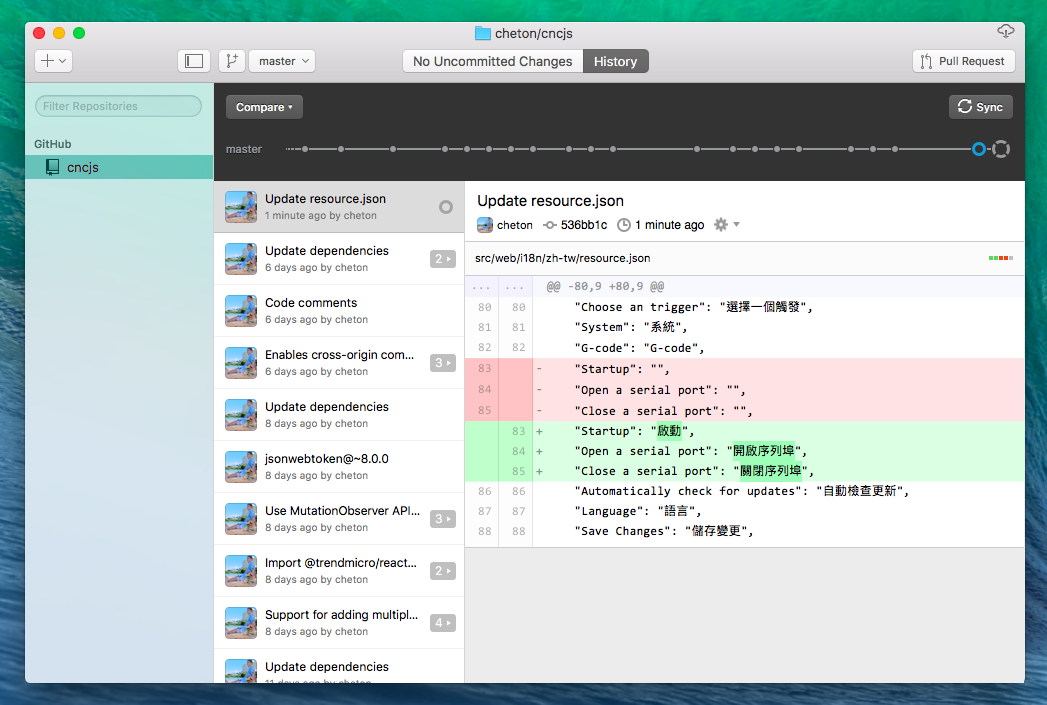
Creating the pull request
-
Head on over to the repository on GitHub.com where your project lives. For your example, it would be at
https://www.github.com/<your_username>/cncjs.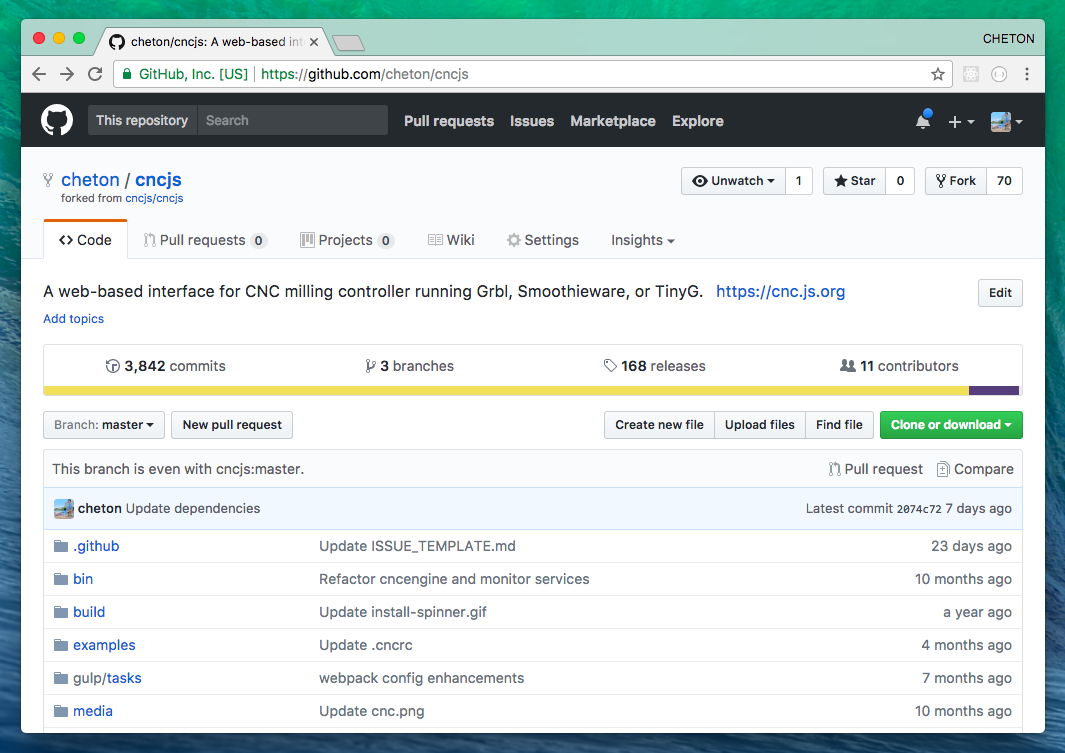
-
To the right of the branch menu, click New pull request.

-
Click Create pull request.
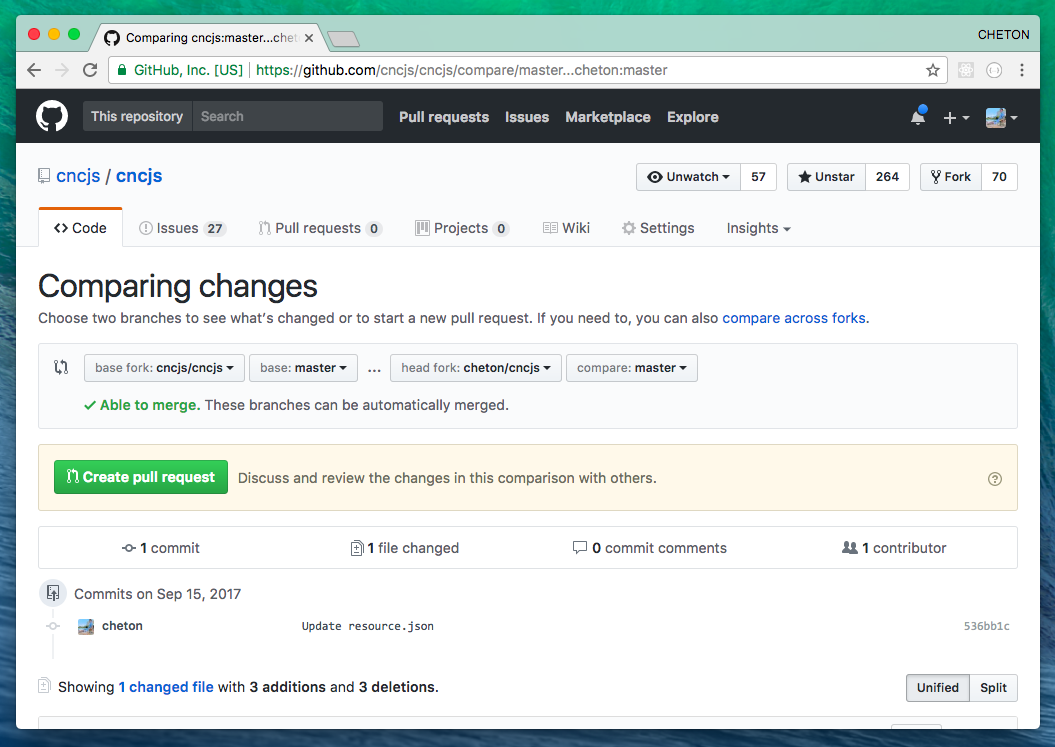
-
That's done.
Translation Validation
You can validate the translation by copying translated resource files to the installed directory. Note that your path may differ based on the Node installation path you have in place.
$ cd $(dirname `which cncjs`)/../lib/node_modules/cncjs/dist/app/i18n/
$ pwd
/home/cheton/.nvm/versions/node/v10.15.3/lib/node_modules/cncjs/dist/app/i18n
To verify your changes during runtime, it's recommended that you open Developer Tools and disable browser cache. For example:
Step 1: Open Developer Tools and click [Settings]

Step 2: Disable cache

Now you can copy resource files to the dist/cncjs/app/i18n directory and refresh your browser to see new updates.
Note that you should not close DevTools to make sure your browser won't cache anything.