JMRI: DecoderPro Service Mode Programmer
Contents
This document explains some basic programmer tabs, and ideas on how to use them:
Roster tab
A roster is a database of all locomotives that your installation of DecoderPro has
programmed. Some stationary decoders can also be added to this database.
It includes the information seen in the screen below:
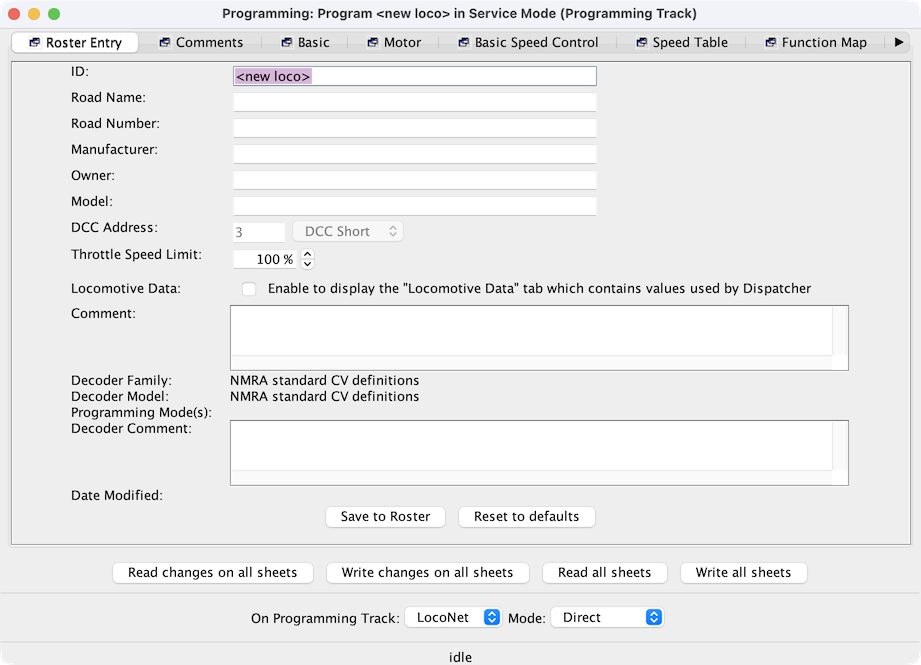
- The top field is labelled "ID". Each roster entry has an identifier (also called Roster
ID) by which it's known. This is your name for it. When the program wants you to select a
Roster entry, it will ask you to pick from a selection box or menu containing Roster IDs.
You can use anything you want for this: Road number, type, even "That crummy old model I
need to repaint" or "My beautiful Shay".
When the entry is first created, this ID field will contain "<new entry>". The program will insist you change that before you first save the entry.
You can change this at any time later, just remember to save the entry to make the new ID permanent.
- Road Name, Road Number, Manufacturer, Owner, Model, Comment and Decoder Comment are for you to use as you see fit. Some people put information in all of these, some in none of them. See the help on the main DecoderPro window for what appears there when you fill them out.
- The Throttle Speed Limit sets the Maximum throttle percentage allowed when using various JMRI throttle tools.
- The DCC Address field is the active DCC address for this loco. It comes from the locomotive settings, and you can't change it here. See the Basic Pane.
- The Decoder Family and Decoder Model values were defined when you created this entry earlier. They can't be changed. The Date Modified value is updated automatically when you save the entry to the roster. After the first time you do that, the filename entry will appear.
- Locomotive Data is an advanced feature.since 5.15.4
The Save button stores the current decoder information to your Roster folder. The default storage is in the same directory the Preferences are stored in.
The "Reset to Defaults" button, not a "factory reset", returns the Decoder CVs to the Default value that was programmed into the decoder xml file. It does NOT change the values in the roster file on your hard disk, unless you Save it The Values are not written to the decoder until you select a to write them.
Most decoders will activate the Reset Menu (next to the File menu at the top of the page). This is the "Factory Reset", some of the manufacturer has several reset routines. It does this by writing directly to a CV in the decoder, CV8 in the case of Digitrax. All decoders may not support Factory Rest and how they work is manufacturer and decoder dependent.
Basic Tab
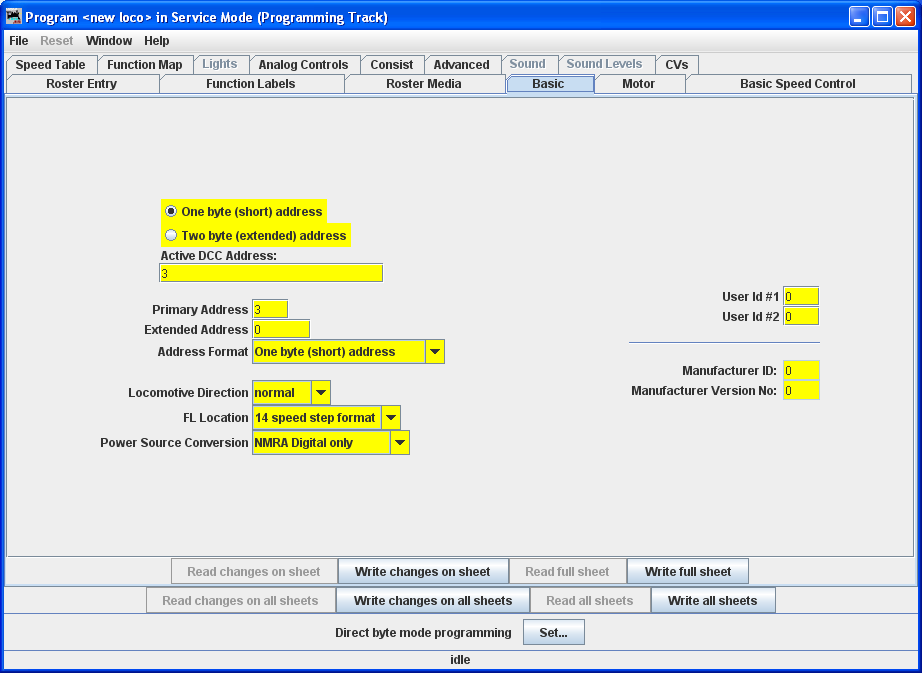
The Basic pane is where you set the Decoder address, you can set the short and the long address and then select which one is Active.
The items that displayed may be different for each decoder. It depends on how the decoder definition file was written and what options the manufacture included in the decoder.
You can select the Locomotive Direction. If you want the loco to go in the other direction set Reverse.
The Speed Steps for the Loco can be selected, usually its 28 steps.
You can select wither the loco responds to DV voltage or not.
You can enter any number you want into the "User id's"
The Manufacture ID and the Manufacture Version ID are set in the decoder by the Manufacture. JMRI uses these to identify the decoder.
Function Labels Tab
For more on the Function Labels tab, please see this page on the web.Roster Media Tab
For more on the Roster Media tab, please see this page on the web.Other tabs
The other tabs are dependent on what the manufacture installed in the decoder, if the options were not installed the panes are either gray or not enabled.
Speed Table Tab
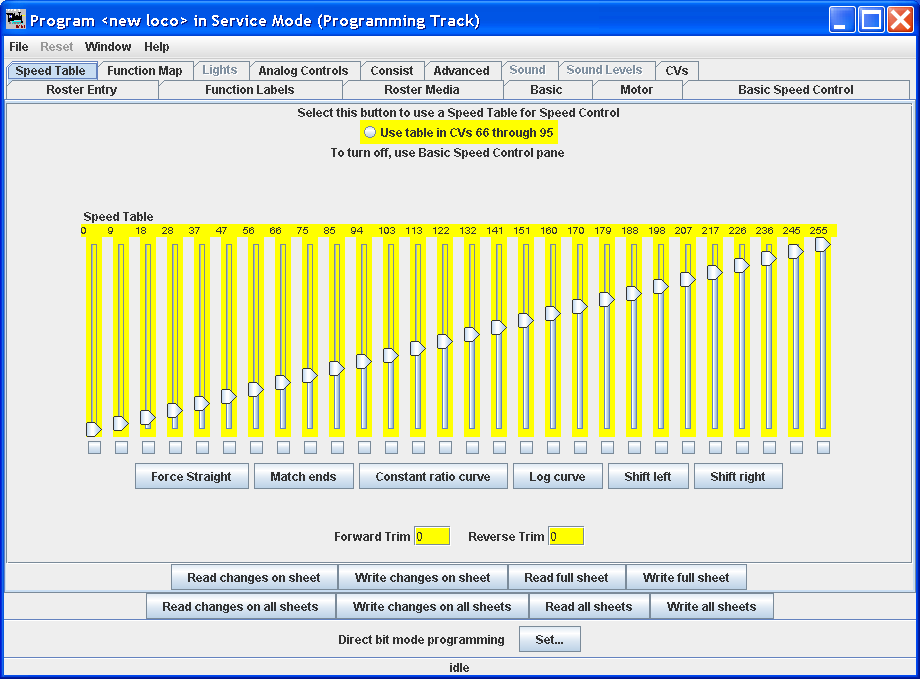
This panel may look different depending on how the decoder xml was built. To use the Speed Table CV's usually the basic speed option needs to be turned off. The little boxes under each slider are very useful. To see how they work check one in the middle of the table then slide the last slider down. Notice that the values do not change below the one you checked. They also do not change for steps above if a lower step is changed.