JMRI: LogixNG Browser
The browser provides a text report of the contents of an entry in the LogixNG, Module, Table or Global Variable table. The text can be selected and copied to a clipboard or saved as a text file. This is useful for sharing a configuration or getting support.
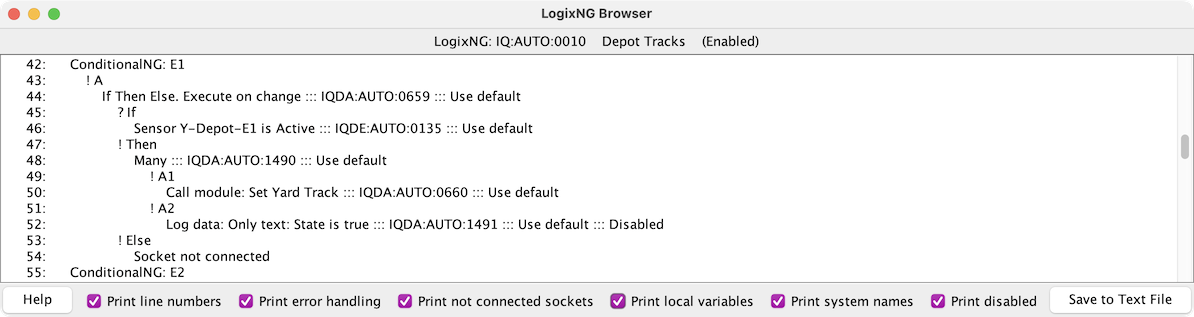
Browser Options
The following options control the browser content.
- Print line numbers
- LogixNG definitions can be very long. Line numbers can help identify an area of the listing. It's very useful when you ask about LogixNG on the JMRI users list. Other users can then point out exactly in the list there the problem lies by giving the line number.
- Print error handling
- LogixNG has several methods for handling errors. The assigned method can be included in the report. It will appear on the line following three colons. For example: Sensor Sensor 1 is Active ::: Use default.
- Print not connected sockets
- When building the logic, each row of an expression (E?) or action (A?) will be assigned an empty socket for the next expression or action. This option controls whether the empty sockets should be included.
- Print local variables
- Local variables are used to pass information between parts of a ConditionNG. This option controls whether they should be included.
- Print systems names
- The LogixNG system name for each row is included. If Show system names in exceptions is enabled in Preferences ⇒ LogixNG, the system name from an exception can help identify the row that is having a problem.
- Print disabled
- When this option is enabled, the Disabled keyword is added to lines that have been disabled.
Browser Actions
- Help
- Provide some information about the browser
- Save to Text File
- Open a save dialog to store the contents of the browser window to a text file. One of the uses for this is to use the line number option and share the file with another person to work on an issue.
since 5.7.8Browse All LogixNGs
Using the main PanelPro menu, select the Browse All LogixNGs menu item from Tools ⇒ LogixNG. This will create a browser window with all of the LogixNGs, Modules, LogixNG Tables, Global Variables and the LogixNG initialization table.