JMRI: Jynstruments
JMRI provides a nice way to integrate Jython scripts in the JMRI Java application, particularly aimed at extending and customising the GUI.That is called a Jynstrument. It's a bundle of Jython code and other resources. The Jython code defines an object deriving from the Java Jynstrument class (itself deriving from JPanel). This object will be instantiated by the instrumented JMRI code itself and then is event driven.
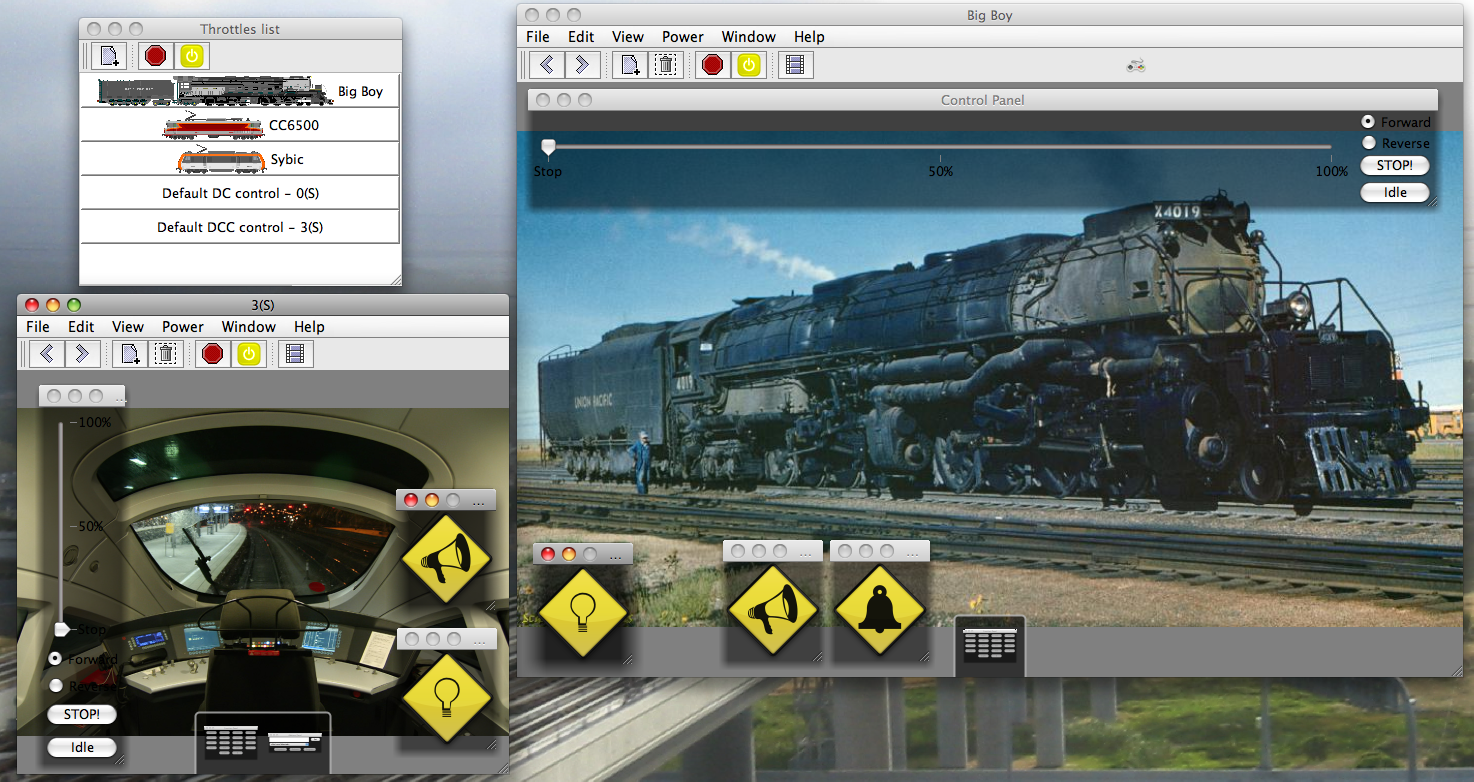 Have a look at the Jython folder in your source tree, there is Jynstruments folder with a README and a ThrottleFrame/Light.jyn to
be tried on the JMRI Throttle window. The image to the right shows them in use (the diamond
buttons).
Have a look at the Jython folder in your source tree, there is Jynstruments folder with a README and a ThrottleFrame/Light.jyn to
be tried on the JMRI Throttle window. The image to the right shows them in use (the diamond
buttons).
In the Jython folder, you'll also find a simple Test.jyn for testing purpose.
See ThrottleFrame.java for how to make code instrumentable; more details are in the README.
Usage is quite simple, drag'n drop the Light.jyn folder onto a JMRI Throttle Window (on
window content itself, the toolbar is instrumentable too, but won't accept the
Lights.jyn).
Once the Jynstrument is started, the GUI will update, a Jynstrument property menu is
accesible by right clicking on the Jynstrument or its border. From this menu you can Remove
the Jynstrument, or view its Ouput.
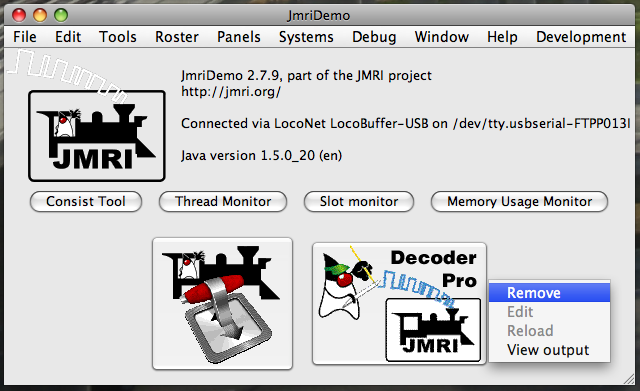
See the content of the Jynstrument itself (comments in the .py file) for specific
informations about them.
Several parts of JMRI are Jynstrumentable today:
- The JMRI main Window were you can add launchers. There is a Jython script named JynstrumentMainFrame.py in the JMRI default Jython script folder that shows how to load these Launchers from a regular JMRI Jython script, then you can select this script to be automatically executed at JMRI startup (from JMRI preferences) in order to have JMRI main window customised the way you like.
- The JMRI Throttle Window where you
can add Jynstruments to
enrich the curent throttle experience (special functions, e-stop, directions... and
even one that will display video from a video capture device, like a Bluetooth webcam
mounted on a train). Do not hesitate to write your own special function Jynstruments,
that's what Jynstrument are meant for.
- The JMRI Throttle Windows toolbar that
allows for Jynstruments that will pilot all the Throttles in
that Window (particularly with special controllers)