JMRI: LogixNG Logix Import
The LogixNG import Tool at PanelPro Tools ⇒ LogixNG ⇒ Import Logix will import the Logix definitions and convert them to LogixNG/ConditionalNG definitions.
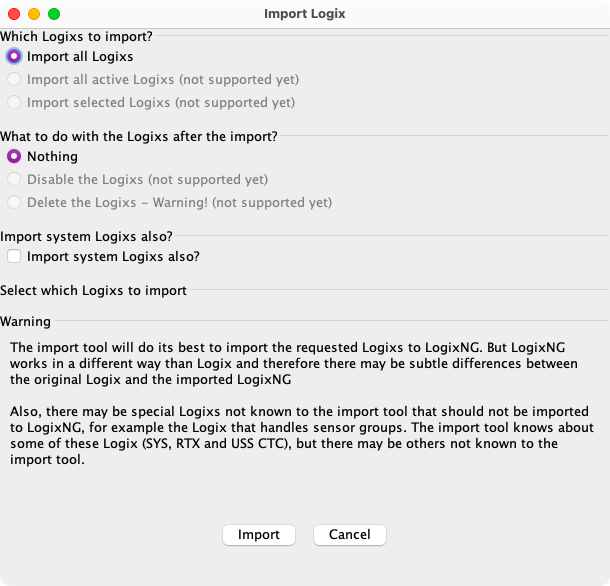
Import Options
Most of the options have not been implemented yet.
Import system Logixs also?
The Import system Logixs also? option controls the import of Logix created by other JMRI tools.
- SYS: The IX:SYS Logix contains the sensor group defintions.
- RTX: These are created by LRoutes and the Route Export to Logix option. This includes the RTXINITIALZER.
- USS CTC: These are create by the USS CTC OsIndicator tool.
SSL Logixes are created to support complex SSL configurations such as Throat-to-Throat. Since these do not have descriptive system names, they will be imported. This can lead to unpredictable SSL behavior. These should be deleted from LogixNG after doing the import.
Subsequent changes using these JMRI tools will update the related Logix. LogixNG will not be aware of those changes. It's recommended to leave this option unchecked.
Import Actions
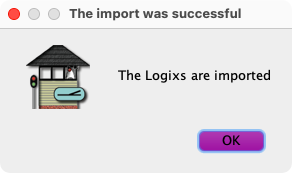
Click on Import to start. The Cancel button will change to Done when the import has finished. Click on Cancel to close the window without doing the import. If successful, a confirmation dialog will be displayed.
The import process will display a message on the JMRI System Console, Help ⇒ System Console, for each Logix Conditional that has been imported. Any errors will also be listed.
Import Single Logixsince 4.99.1
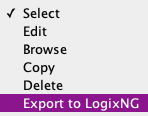
Individual Logix definitions can be exported to LogixNG using the Logix Select menu and selecting Export to LogixNG.
The resulting LogixNG will have an automatic system name. The LogixNG user name will be
Logix: <Logix user name>. If the Logix does not have a user name, the
LogixNG user name will be Logix: <Logix system name>. A confirmation
dialog will be displayed.