Hardware Support: Märklin
JMRI supports two Märklin command stations: the Command Station 2 (CS2) and the CdB CC-Schnitte 2.Command Station 2 (CS2)
JMRI can connect to a Märklin Command Station 2 using the built in Ethernet interface.
It is possible for multiple PCs to connect to a CS2 using UDP/IP or TCP/IP.
The CS2 uses its own CAN BUS protocol running over the network. When using the UDP protocol, responses from the CS2 are sent out as a broadcast message and therefore the PCs connecting to the CS2 must be in the same IP subnet otherwise the reply messages will not get seen. The TCP protocol connection does not have this limitation.
This implementation of the CS2 CAN protocol was developed and tested on CS2 firmware version 2.
Support for the Märklin CS2 was first available in JMRI 3.1.1. TCP protocol was added in JMRI 5.11.5
Limitations
This interface is still under development; if you find any issues then please raise a issue on the JMRI users mailing list.Consisting, and Programming are not yet supported.
Connecting
To configure the connection:
- Open the JMRI "Preferences" under the "Edit" menu,
- Select "MARKLIN" as the manufacturer, and Command Station 2 as the Connection type with either TCP (recommended) or UDP protocol.
- Enter in the address assigned to the CS2.
- Click "Save".
Turnouts, Sensors, Throttle and power support is available for a JMRI-connected CS2 unit.
Throttle support includes the ability to select a specific protocol (Märklin, DCC & mfx)

JMRI Tools
Monitor Marklin Commands
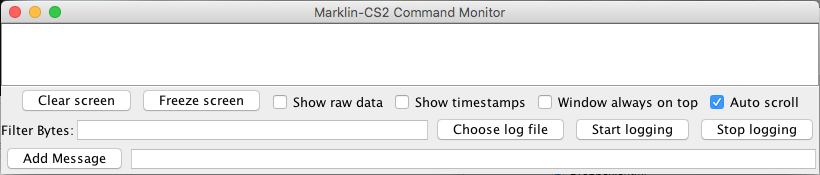
Send Marklin Commands

Enter a message as a hex string, starting with the prefix 0x e.g.
0x4467. Press
[Send] and wait for a reply from the CS2 connection to appear in the Reply field.
CdB CC-Schnitte 2
Since JMRI 5.3.5 JMRI can connect using a CC-Schnitte USB interface.
The CC-Schnitte is a third party USB interface for the Marklin CAN Bus. It is usually directly attached to the 60113 Digital Connector Box, with the MobileStation 2 attached to the second port. In the Marklin system, the Connector Box receives commands from devices attached to the CAN Bus. It acts as a mini booster, but also translates them into a proper DCC/mm2/mfx signal. CC-Schnitte combines with the Connector Box in a fashion similar as the already supported CentralStation 2.
Limitations
This interface is still under development; if you find any issues then please raise a issue on the JMRI users mailing list.Connecting
To configure the connection:
- Open the JMRI "Preferences" under the "Edit" menu,
- Select "MARKLIN" as the manufacturer, and "CC-Schnitte 2.1" as the Connection type,
- Select the proper USB connection name.
- Click "Save".